Author Archives: aulayna
Three Ways to Help a Slowing Down PC
There are many common factors which can make your PC run slower than when it was first purchased. The following tips may help speed up your system. Please note if you are unsure about any of the following ideas, please don’t go ahead and try them anyway as it is possible to mess up your system if the wrong things are deleted.
1. Too many programs opening on Start Up.
When a user installs applications such as Skype or Spotify, these can often have the default setting of launch at start up. This causes the PC to take longer to load as it is loading these extra applications and has them operating in the background, thus slowing the PC down. To see what your PC is running on start up press the Windows+R key and type in ‘msconfig’ without the quotation marks and press OK. From here go to the start up tab and view what is running. You can choose to disable some features but it is advised to ensure than anything to do with Microsoft Corporation is left running as its likely it is needed for your PC to run properly.
2. The Hard Drive may be full or running near full capacity.
If the hard drive is too near capacity this can cause the PC to run slowly. If you have applications which you do not use anymore, you can uninstall them to free up space on your hard drive. To do this go to Control Panel and go to Programs and Features. From here search through your programs list and uninstall any unused applications. Please be careful to leave applications which your hardware or system needs. If you are unsure what programs to remove there is a website http://www.shouldiremoveit.com/ which you can use to assist your decision if are unsure about an application.
3. Finally install some Anti Virus and Anti Malware software
Scanning your PC regularly with anti virus and anti malware software will help protect it from malicious software. If the software finds any malicious software it will remove it and this can help speed your PC up as malware can slow your PC down
Security Thoughts : People & Passwords
Security breeches are always happening. Hackers use many different skills to attempt to gain access to files which are not supposed to be seen by them. Some hackers just do it for fun, while others have a more malicious intent. My tutors always told me that nothing is unhackable – so if someone is determined and skilled enough they will eventually gain access to a system and its data – unless of course they are caught while trying to do this but this is unlikely. So with this in mind, how can we help protect our data?
Staff training is important, this is because some people may use social engineering techniques to learn information which can help them gain access to the system . It is important that staff members realise this and ensure that they do not give out their username or password to anybody (including friends and colleges) even if they think they are able to trust those people.
It is also important that staff members are able to identify suspicious behaviour and know who it must be reported to in order to ensure that there is no ill intent being carried out.
When choosing a password the password chosen must be difficult to guess as this will make it harder for anyone to access the system using their account. The BBC published an article after it was found that the company Adobe was hacked and showed that the top passwords used were easy to guess passwords. The most popular password was 123456 which 1.9 million (out of 150 million accounts) people chose to use on their account. This is an example of a weak password, it is easy to guess, many people who were guessing a password would probably guess this (along with the phrase “password”). A password should be easy to remember but at the same time hard to guess.
For example someone who likes Formula 1 may choose a password based on a Formula 1 track. S1lv3rst0n3 could be used instead of the word silverstone. What I have done here is simply replaced all of the vowels in the word Silverstone with a number which looks simmilar to the vowel and used a capital letter at the start. Another variation could be to use S!lv3r$t0n3 which would replace the letter i with a ! and the second s with the $. These would be harder passwords to guess in comparison to just the word silverstone (all lowercase).
Data Analysis & Design Unit Coursework
User Requirements:
This customer has a company that sends information about local sales and offers to people who have opted to receive it. The customer has asked you for a database that will store the contact information of the people who want to receive this information. The system needs to store, for each user: their full name, postal address, landline & mobile phone numbers, email address, and the market categories they have opted to follow (e.g. Clothes, Electronics, etc.). Every market category has a list of businesses assigned to it.
The following PDF will show the documentation relating to the design of the database.
The following PDF will show the user documentation.
MMO Endgame Idea Generator
In MMORPGS there is often too much choice of things to do when not with a group of people who are trying to beat the most current raid boss. Sometimes it is just impossible to think of what
to do, so more often and not the gamer end up standing around the main city not playing the game!
This inspired me to create a program which would randomly select an idea from a list of ideas which have already been predefined. As well as being a fun project to create, it has allowed me to have some practice with arrays and using code to display a random string within that array.
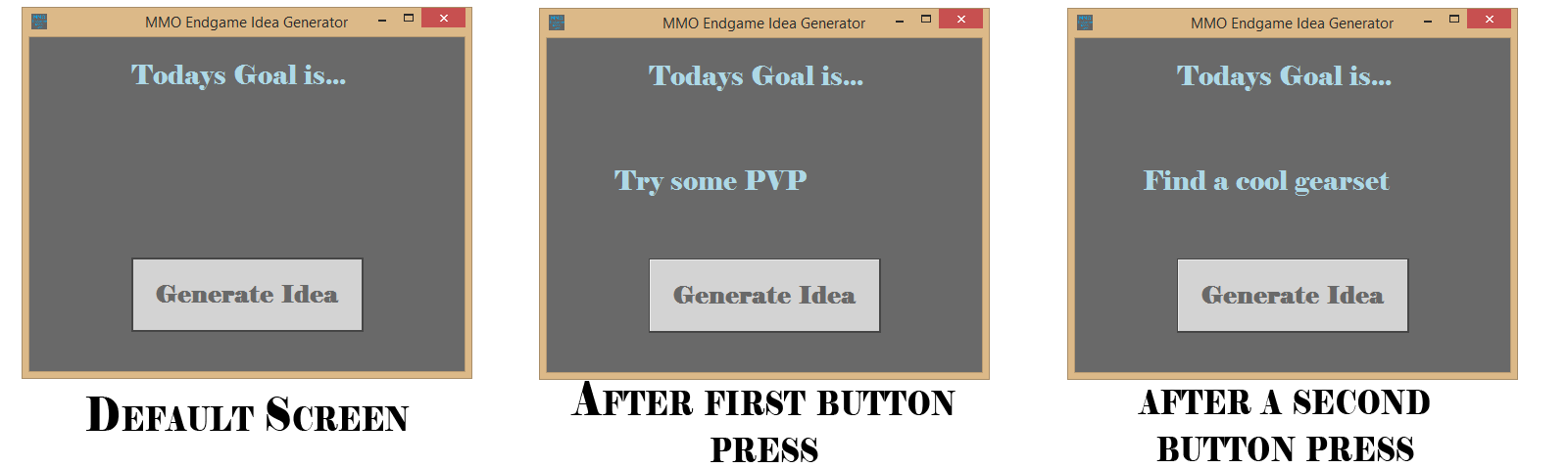
Please click to enlarge image
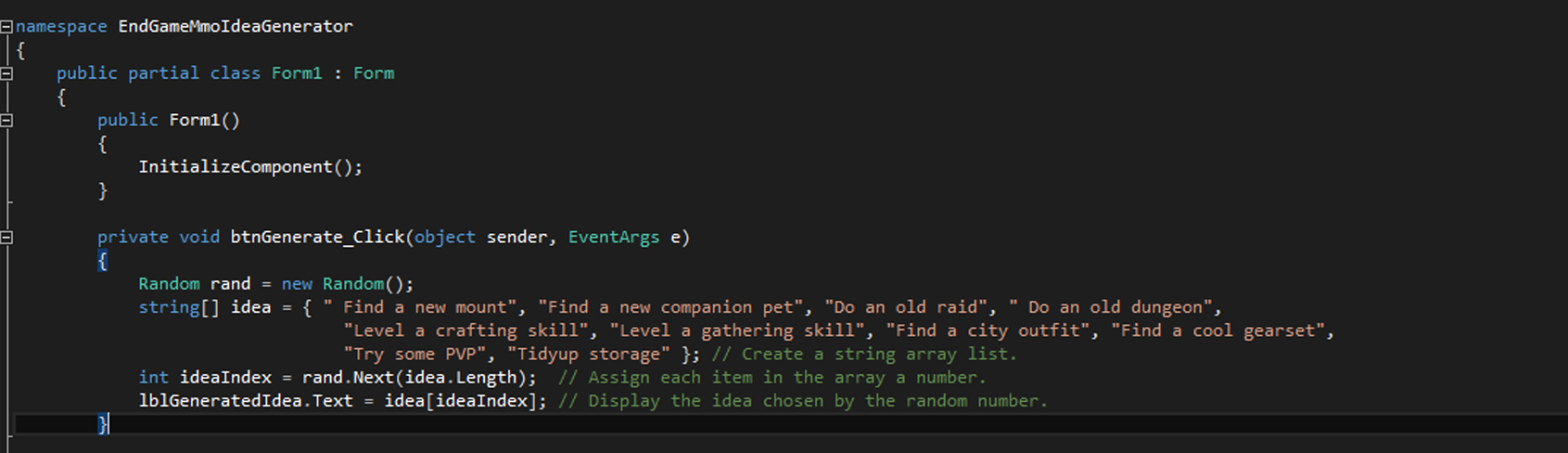
Please click to enlarge the image
Storing Information Within a Text File
This was the project which I completed for Unit 42 Programming in .NET of my HND in Computing and Systems Development.
System Requirements:
Design a .NET application for a customer. This customer has a company that sends information about local sales and offers to people who have opted to receive it. The customer has asked you for a Windows application that will store the contact information of the people who want to receive this information.
The system needs to store, for each user: their full name, postal address, landline & mobile phone numbers, email address, and some comments. This information needs to be accessible via a Windows-based Graphical User Interface to allow for ease-of-access.
The structure of the data file that the application will use to store the user information is a text file.
The email address needs validation to ensure that it is in the correct format.
Below is some screenshots of the finished application and some of the code used.
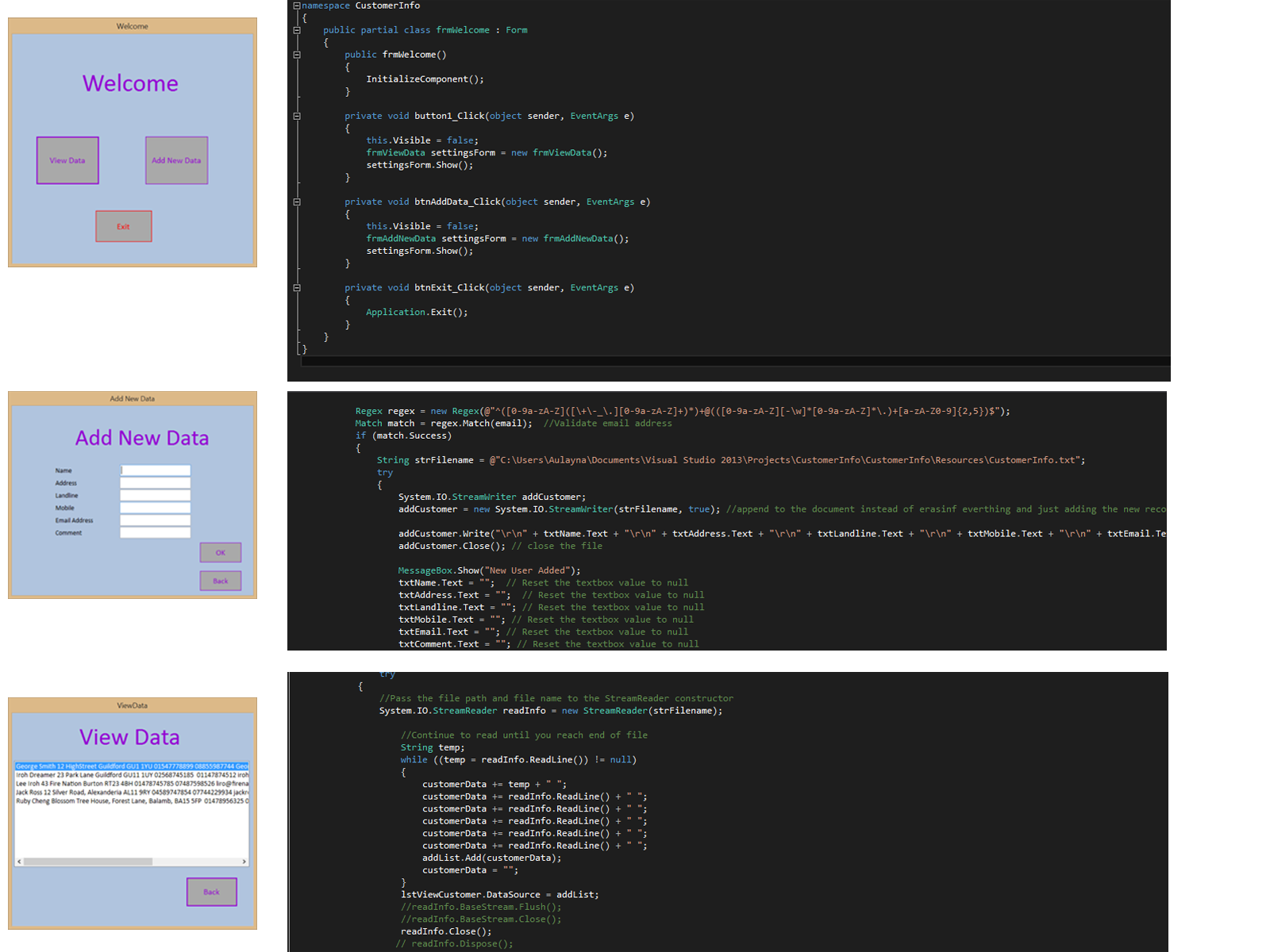
Screenshots and Code. Please click to enlarge
Scoreboard
This is the project which I completed for Unit 20 Event Driven Programming Solutions of my HND in Computing and Systems Development.
The main purpose of the application was to create a scoreboard for a surfing competition.
System Requirements:
Mandatory:
1. A login screen must be present, allowing only a single ‘hard-coded’ user to enter
Username: admin, Password: abc!123
2. The main menu form must, at least, point to two (2) other forms:
(a) the result entry form and (b) the scoreboard form
3. Each competitor must have a name, an age (12-35) and a score (1-10)
Note: Both the age and the score are integers
4. The competition has a total of ten (10) competitors
Note: The results are required to be retained only while the program is running
Optional:
5. The scoreboard results should be sorted based on score (highest to lowest)
6. The GUI should provide validation of the user input, preventing out-of-range numbers
I completed all of the mandatory requirements and also included validation of the user input, preventing out-of-range numbers.
Below is some screenshots of the final application and some of the code I used to create the application.

Screenshots & Code Examples.
Please click to enlarge the image
Website Which Advertises A Product
This is the project which I completed for Unit 35 Website Applications as part of my HND in Computing and Systems Development.
The System Requirements:
You have been assigned to come up with a new idea for a Web Application. You will need to create a dynamic website for a product or a service that is not widely used at the moment and, in your opinion, it should be more popular and available to a wider audience.
The website which I created was one which is able to advertise a product, which is not widely used. After visiting the Science Museum in London I was inspired to base my website around 3D Printers for home use as this is a product which not many people have in their home. Other requirements were the website had to link to a MySQL database. This database would hold the product information and the customer information. An existing user should be able to log in to the website and the registration form should check for valid data.
An external CSS document was used to style the website and PHP was used to connect the website to the database which used MySQL. It was hosted on localhost on the XAMPP web server package.
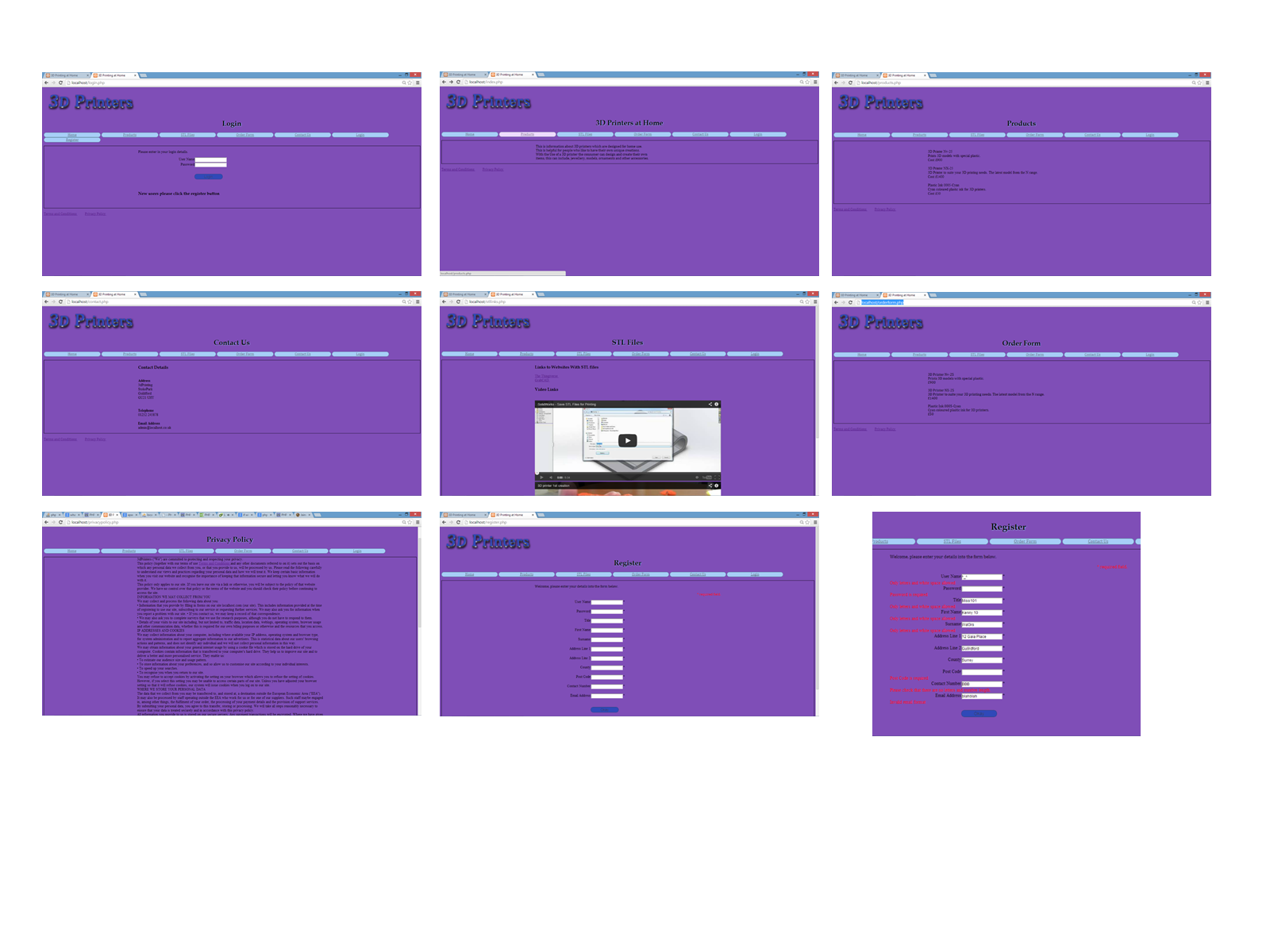
3D Prining Website Screenshots. Click to enlarge
 Aulayna MacLeod